Yoslion Download
How to Resume Interrupted Downloads on Mac
When an interrupted download can be resumed where it stopped, when it cannot, what Safari's pause and resume covers, and where a download manager helps.
Written and published by Palacios Software Group LLC · 22 October 2026 · Last updated 23 October 2026
A download that stopped partway does not always have to start over. Whether it can be picked up where it left off is not really a question about your Mac — it is a question about the server at the other end, and about whether anything kept a usable record of how much had already arrived. Get both of those right and the remaining bytes are all you need to fetch.
This guide explains when that is possible, how to tell which case you are in, what Safari itself offers, and where a dedicated download manager changes the outcome. It also says plainly when nothing can save the transfer and restarting is the honest answer, because that case is real and pretending otherwise wastes more of your time than the restart would.
Why downloads get interrupted
A download is not one event. It is a request, a response carrying the bytes, and a connection that has to survive for as long as those bytes take. Anything that ends the connection early ends the download, and on a laptop most of the causes are ordinary:
- The network changed underneath it. Moving between Wi-Fi access points, a router restarting, a VPN reconnecting, or switching from Wi-Fi to a phone hotspot. The connection the transfer was using no longer exists.
- The Mac stopped working on it. A closed lid, sleep, a restart, a forced quit, or an application that was shut while the transfer was still running.
- The server ended it. Many servers close a connection that has been idle, cap how long a single response may take, or limit how many connections one address may hold. None of that is a fault; it is a server protecting itself.
- The link stopped being valid. Download addresses are often signed for a short window, issued for a single use, or tied to a signed-in session. When one expires, the next request is refused even though the first one worked.
Those four are worth telling apart, because the first two leave the file retrievable and the last two often do not. The cause also determines who can fix it: a dropped connection is something a client can retry, and an expired link is something only the person who issued it can reissue.
Can an interrupted download be resumed?
Sometimes, and the conditions are not a matter of opinion. Resuming is a second request for only the part that is missing, and HTTP — the protocol every browser and every download manager speaks — specifies how that works in RFC 9110. Four things have to hold at once.
- The server has to actually serve the range. A client asks with a
Rangeheader. A server that honors it answers206 Partial Contentwith aContent-Rangesaying which bytes it sent. A server that does not simply answers200 OKwith the whole file from byte zero — which is a restart, however it looks in the interface. - The file has to still be the same file. Two halves of two different versions do not make one working file. HTTP handles this with validators — an
ETagor aLast-Modifieddate — and withIf-Range, which tells the server to send the partial range only if its validator still matches, and the whole file otherwise. - Something has to know how much arrived. A resume starts from an offset, so the offset has to have been recorded somewhere that survived the interruption. Progress held only in a running process is gone when that process is.
- The address has to still work. A signed, expiring or single-use link may refuse the second request no matter how correct it is.
The trap in this subject
A server advertising Accept-Ranges: bytes is not a promise that your download can be resumed. RFC 9110 is explicit that the field “only provides advice”, that support may exist only at certain times or under certain conditions, and that a server “MAY ignore the Range header field” when the real request arrives. Treat it as a good sign, never as a guarantee — and note that the reverse also holds: its absence does not prove a range request would fail.
The practical consequence is that you find out by trying, not by inspecting. If a retry restarts at zero every time, the server has answered the question.
Resuming downloads in Safari
Safari keeps a downloads list, reached with the Show Downloads button near the top right of the window. Apple documents that a download in that list can be paused with the Stop button beside its name and started again with the Resume button, and its troubleshooting advice for a download that is paused is simply to resume it. For a pause you chose, in a window you have left open, that control is the whole answer and no other software is needed.
What that page does not cover is the case most people are actually in. It describes pausing and resuming from the list; it says nothing about what becomes of a download if Safari quits, if the Mac restarts, or if the connection drops on its own. We have read that one page and have not tested those cases ourselves, so this article will not tell you either way — Apple may document them elsewhere, and your own version may behave differently from the one the page describes. What the same page does say is what Apple recommends when a downloaded file turns out to be incomplete: download it again.
Evidence still owed
Whether Safari can resume after a quit, a restart or a dropped connection is something we have not tested, and the Apple page we cite does not address it. That is a statement about this article, not about Safari: there may be documentation we have not found, and behavior that varies by version. Until somebody runs the test on a named macOS version against a server known to serve ranges, we are not in a position to tell you what happens.
So the dividing line is this. If you paused it yourself and Safari is still open, use Resume. If the transfer died on its own, you are in territory the browser does not promise anything about, and that is the situation the rest of this guide is about.
Using Yoslion Download
Yoslion Download is a desktop download manager, and it is made by the company publishing this article — worth saying plainly before any description of what it does. It runs on macOS as an application in its own right: you give it an address and it fetches the file. The part relevant here is where it keeps its progress.
- Progress is written to disk as it goes. This is the part that matters after an interruption, and it applies however the transfer is being fetched. After a network failure, a crash or a restart, the transfer resumes from its last durable checkpoint rather than from an assumption about what had been requested.
- Some transfers are split across several connections, and some are not. Where the source supports it and the transfer qualifies, the file is fetched as byte ranges written straight to their exact positions on disk. Where it does not, the transfer runs as a single stream. Both keep the same durable record of what has arrived, so recovery does not depend on which one you got.
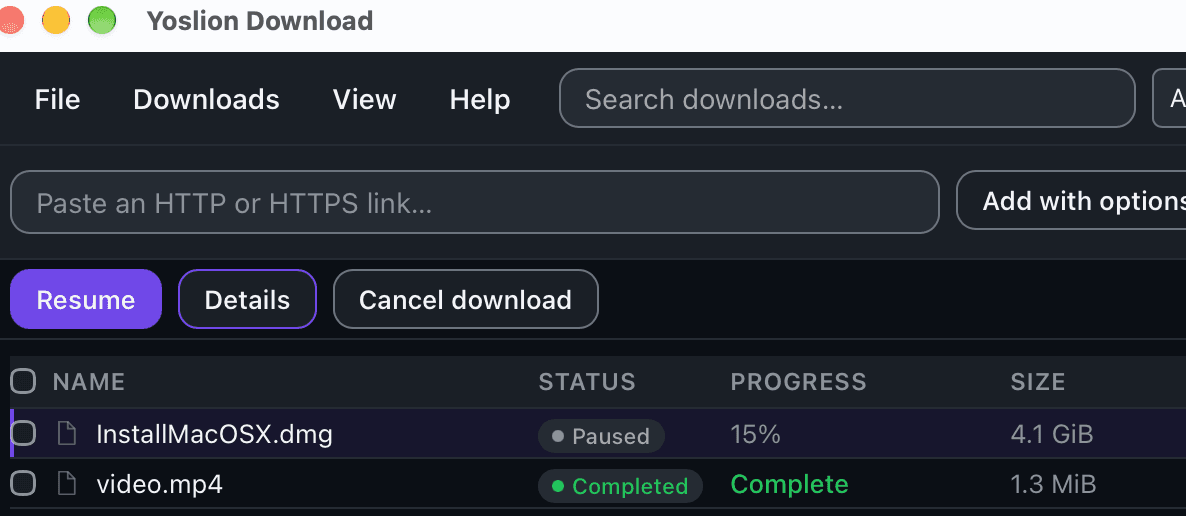
- Pause and resume is explicit. Stop a transfer and pick it up later; resuming continues from progress already committed to disk.
- Partial data is kept apart from the finished file. Incomplete data is not left under the final name, and the finished file is moved into place as a single step rather than growing in position. So a file sitting at the final path is one the application considered complete — which is a statement about the transfer reaching its end, not a check of the bytes against what the publisher intended. That check is a separate step, and the next section is about it.
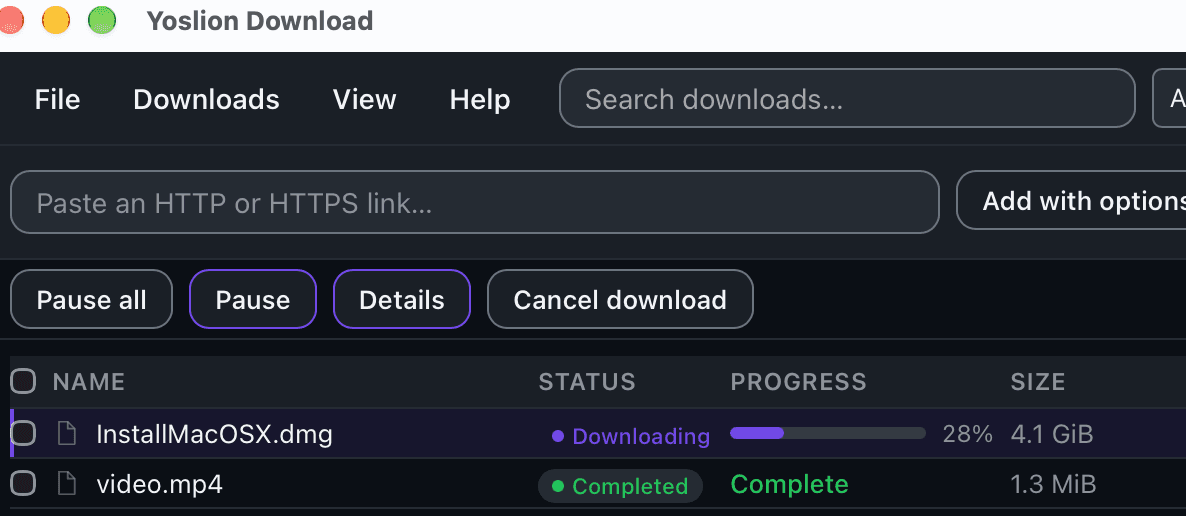
Yoslion Download uses an adaptive connection scheduler that dynamically adjusts the number of parallel connections based on observed download performance. It increases parallelism when additional connections provide a meaningful speed benefit and can reduce it when conditions change.
The scheduler supports up to 32 simultaneous connections, but 32 is a maximum limit, not a target. The goal is to use the level of parallelism that delivers useful performance gains for each download, rather than simply using as many connections as possible.
There is also a Safari extension, and it does something narrower than the application: it hands a download over from the browser as you start it. Its limits are worth knowing before you look for it.
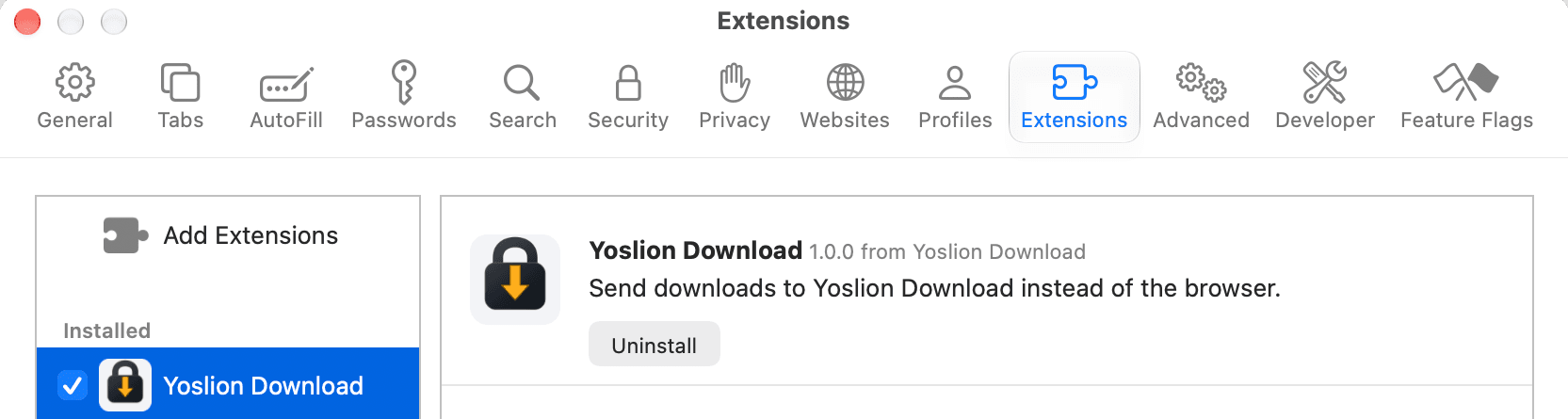
- It arrives with the application. It arrives with Yoslion Download for macOS. Open Safari, go to Settings, then Extensions, and switch Yoslion Download on — Safari does not enable a new extension by itself.
- There is no store listing. There is no App Store listing for it and none is planned. Safari needs macOS 13 or later, although the application itself runs on macOS 11 — on macOS 11 or 12 you get the application without the Safari extension.
- Automatic capture of browser downloads is not proven on Safari. That is a statement about our evidence, not a verdict about the platform. What has been measured is capture of a trusted click.
- Some downloads are out of reach in every browser, not only Safari. What passes between a browser and the application is an address, and — where you have granted the extension its optional permission to use the browser’s session — the cookies the browser itself says apply to that exact address. That is the whole of it: no authorization header, no other headers, no request method and no request body. So a download that only exists as the answer to a
POST, or that only exists inside the page as ablob:ordata:URL, is still not something this mechanism can hand over, and those are limits of our integration rather than of any particular browser. Note it is the method that matters, not the form: plenty of forms submit withGETand produce an ordinary address.
Where this stands
Automatic capture on Safari has not been demonstrated to the standard Yoslion treats as evidence, and a dedicated investigation of it is still owed. This article is not the place that quietly upgrades that.
None of that changes the protocol. Durable progress solves the half of the problem that belongs to your computer; it cannot make a server serve a range it will not serve.
When resuming is not possible
Some transfers genuinely have to be started again, and recognizing them quickly is worth more than any amount of retrying:
- The server answers
200 OKto a ranged request. It is sending the whole file whatever you ask for. - The file changed at the source. The validator no longer matches, and the bytes you already have belong to a different version.
- The link has expired or was single-use. No client can reissue somebody else’s signed address.
- The session ended. A file behind a sign-in may need the sign-in again before any request succeeds.
- The partial data is gone — deleted, or on a volume that is no longer mounted. There is no offset left to resume from.
In each of those, a download manager is not a way around the obstacle. Software that claimed otherwise would be describing an internet that does not exist.
Final recommendation
For a file you can download in one sitting on a stable connection, Safari on its own is the right tool and there is nothing to add. Its pause and resume covers a pause you chose, and a transfer that finishes without interruption needs nothing more than that.
A dedicated download manager earns its place when the transfer is long enough that an interruption is likely rather than unlucky — a large installer, a dataset, a slow or shared connection, a laptop that sleeps. What it adds is not speed you can be promised in advance but a record of progress that survives the thing that interrupted you, which is exactly what the browser does not document surviving.
Whichever you use, check what you ended up with. A progress bar reaching 100% says the transfer ran to its end; it does not compare the bytes on your disk with any published reference. The ordinary check for that is a checksum. When a distributor provides a SHA-256 through a channel you trust, comparing it with the file on disk is a strong way to verify that the bytes you received match that published reference — whether they arrived in one go or were resumed four times. What the comparison does not do by itself is authenticate the publisher: it tells you the file matches the reference, and the reference is worth exactly as much as the channel it came through. A digest printed beside the file it describes is weaker than one you can reach independently, because whoever could replace the file could replace the digest next to it.
The downloads page publishes the exact file name, size and SHA-256 for each installer Yoslion ships, together with the command that computes one on your own machine. A publisher signature, validated through a signing chain you trust, answers the question a checksum cannot — who released this file — and a checksum does not replace it.
What this article relies on
Each statement below is the exact limit of what Yoslion has measured. Anything wider than these sentences is not something this article claims.
- On Safari, automatic capture of browser downloads is not proven: what has been measured is capture of a download you start with a click. Separately, and in every current browser integration rather than Safari alone, Yoslion's capture mechanism does not take a download produced by a POST request, nor one that exists only as a blob: or data: URL inside the page.
- The Safari extension ships inside the macOS application rather than from a store, is switched on in Safari's own settings, and needs macOS 13 or later, while the application itself runs on macOS 11.
- macOS is a supported platform for the application itself, independently of anything the browser extension does.
- There is a current public release for macOS, and the exact file name, size and SHA-256 of every installer Yoslion publishes are recorded and shown on the downloads page.
Sources
The sources below document third-party software and technical standards. Findings from our own controlled tests are identified separately in the article.
- IETF — RFC 9110: HTTP Semantics
- Range requests, Content-Range and If-Range are specified in RFC 9110 sections 13.1.5 and 14; 206 Partial Content is specified in section 15.3.7. Accept-Ranges is advisory only: it 'only provides advice', a server 'MAY ignore the Range header field', and support may exist only at certain times or under certain conditions.
- Read 22 October 2026
- Apple — Download items from the web using Safari on Mac
- Safari keeps a downloads list reached by the Show Downloads button, a download in that list can be paused with the Stop button and resumed with the Resume button, and the remedy Apple gives for an incomplete file is to download it again. The page does not document what happens to a download if Safari quits, the Mac restarts or the connection drops.
- Read 22 October 2026